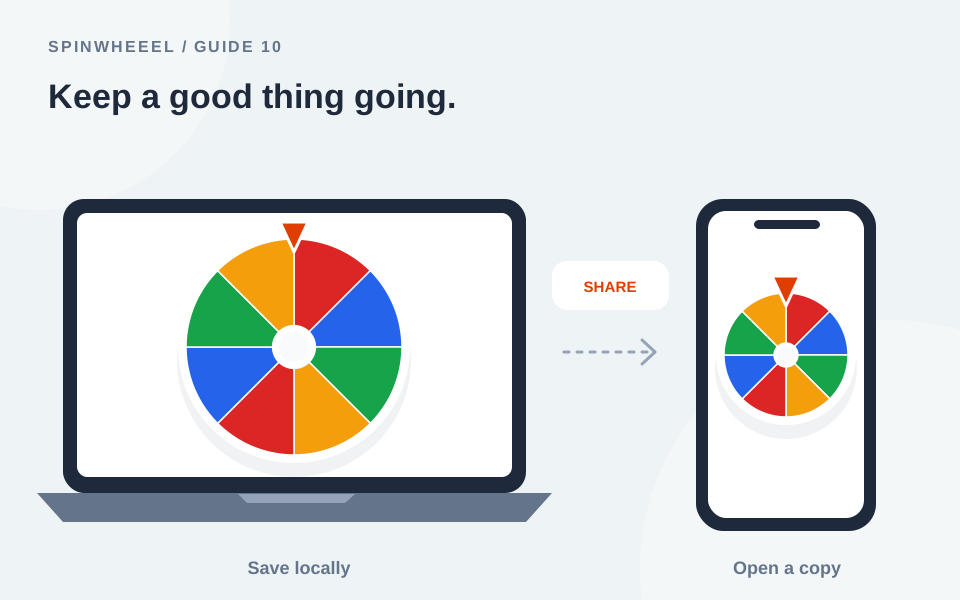
Save wheel keeps a named copy in your current browser. Share creates a link containing a copy of the wheel’s entries and settings. Export wheel downloads a backup file. These actions serve different purposes, and none is automatic cloud synchronization.
Choose the method that matches your task: a local save for quick reuse, a share link for opening a setup elsewhere, and a backup file for a copy you control outside the browser.
Save a Custom Wheel in This Browser
- Finish preparing your list and settings on the wheel homepage.
- Give the wheel a clear title, such as Friday reading roster or Weekend plans.
- Choose Save wheel.
- Open My wheels to check that the named copy appears.
- Load the saved copy when you want to use that setup again.
You can keep up to 20 named wheel saves, subject to available browser storage. Saving again under the same title updates that copy. Your working wheel is also remembered automatically when storage is available, but a named save gives you a stable setup to load after removing entries during an activity.
Where Local Saves Live
The data is stored in the browser for this site’s origin. It does not automatically appear in another browser, another device, or a different site address. Private browsing, blocked storage, or clearing website data can make local saves unavailable. The underlying browser behavior is described in MDN’s localStorage documentation.
Share a Wheel of Names with a Link
Choose Share to generate a configuration link, then copy it. The link includes the title, labels, weights, design, and relevant settings. Open it in another browser to load a copy of that configuration.
The optional uploaded center image and previous result history are excluded. The receiving device can spin independently, edit the list, and save its own copy. Sending the same link to three people does not make them watch one synchronized draw.
Check the Labels Before Sending
Anyone with the link can inspect the included entries. Avoid sharing private student rosters, contact details, or information that was not intended for the recipients. Use sample labels when demonstrating the tool publicly.
Long Lists Create Longer Links
A configuration with many labels can produce a link too long for some messaging apps or services. The tool warns when the link would be unusually large. In that case, use an exported wheel file or shorten the list labels instead of assuming every service will preserve the URL.
Export a Backup and Import It Later
Export wheel downloads a JSON configuration file. Keep it somewhere you can find again. Unlike a compact share link, a backup file can include your uploaded center image. It does not need access to a user account to be imported.
Use Import and choose the file on the receiving device. Inspect the entries and settings before spinning. Importing replaces the working configuration, so save the current wheel first if you want to keep it too.
Wheel Backups and Result Exports Are Different
A wheel backup preserves a setup for future spins. Export results downloads the recent result history as CSV for reference. Importing a result CSV as entries would create a new list; it would not reconstruct the original wheel configuration.
Move a Saved Wheel to Another Device
On the original device, load the named wheel you want to move. Create a share link or export a wheel file. On the second device, open the link or import the file, check it, and use Save wheel there if you want a local copy.
A link to the plain homepage does not carry your saved roster. Nor does a Home Screen shortcut copy another device’s local data. See the iPhone guide for mobile access and browser-specific steps.
Why a Saved Wheel Might Disappear
Check that you are using the same browser, browsing profile, device, and website address. Local storage is tied to those contexts. A wheel saved in a private tab may be cleared when that session ends, and clearing site data can remove both working state and named saves.
The website cannot restore local data after your browser deletes it. For a roster or design you do not want to rebuild, export a backup before changing devices or clearing data. Keep the source list separately when it matters to a recurring activity.
Choose the Right Copy for a Reusable Wheel
For a regular club meeting, keep a clean named roster for quick access, export a wheel file as a backup, and create a share link only when someone else needs the setup. Give each copy a recognizable purpose. A file named Book-club-master is easier to distinguish from a shortened roster saved after several members have already been selected.
When you change the master list, export a fresh backup and replace any link you intend to distribute. A previously copied link still represents its earlier configuration. Editing your local wheel does not rewrite links that other people already have. Ask the receiving person to check the title and entry count before using a revised setup.
Check a Transfer Before You Need It
On the receiving device, inspect the names, weights, removal setting, and appearance before starting an activity. If the center image matters, use the exported wheel file rather than expecting it in a share link. Save a local copy there once you have verified the imported configuration.
Keep result exports separately from setup backups and use descriptive filenames so you can tell them apart later. After a no-repeat round, restore the clean master before preparing the next session. If you are clearing browser data or switching devices, confirm that your backup file is available outside that browser first. A successful download is useful only if you can locate it again.
QUICK ANSWERS
Saving and Sharing Questions
Does saving require an account?
No. Saves are local to your browser. There is no account-based cloud library in this version.
Will people opening my link see my next result?
No. A configuration link copies the setup, not a live session. Share your screen separately if you want people to watch one drawing.
Can I recover names removed during a round?
Load the original named wheel or import its backup. The working wheel may already reflect the removal, so preserve a clean original before a no-repeat activity.
What if storage is full or blocked?
The tool displays a warning when it cannot store a save. Export the wheel file instead, and avoid assuming a save succeeded until it appears in My wheels.
Put it into practice.
Start with a few sample entries, check your settings, and make the wheel your own.
Open the wheel